
SMS compliance · A2P 10DLC
AxleDash SMS Program — How Shop Owners Opt In
The program
AxleDash sends operational text messages to its own subscribers: owners of independent auto repair shops who hold an active AxleDash account. Messages relate to the running of that owner’s shop, and cover four things:
- Daily appointment summaries — a rundown of the day’s scheduled jobs.
- Real-time booking alerts — a text when a booking is created, canceled, or rescheduled.
- Report-ready notifications — a note when the shop’s report has finished generating.
- Two-way schedule replies — the owner can text back to act on their own schedule.
There is no marketing content in this program and no cold outreach. Messages go only to shop owners who hold an account, entered their own number, checked the consent box, and verified the number with a one-time code.
How owners opt in
-
Owner creates an AxleDash account
A shop owner signs up for AxleDash and completes onboarding for their shop. Only account holders can reach the notification settings below.
-
Navigates to Settings → Text notifications
Inside their account, the owner opens the Text notifications card in Settings. SMS is never enabled during signup and is never on by default.
-
Enters their mobile number
The owner types the mobile number they want operational texts sent to. Nothing is sent to that number yet.
-
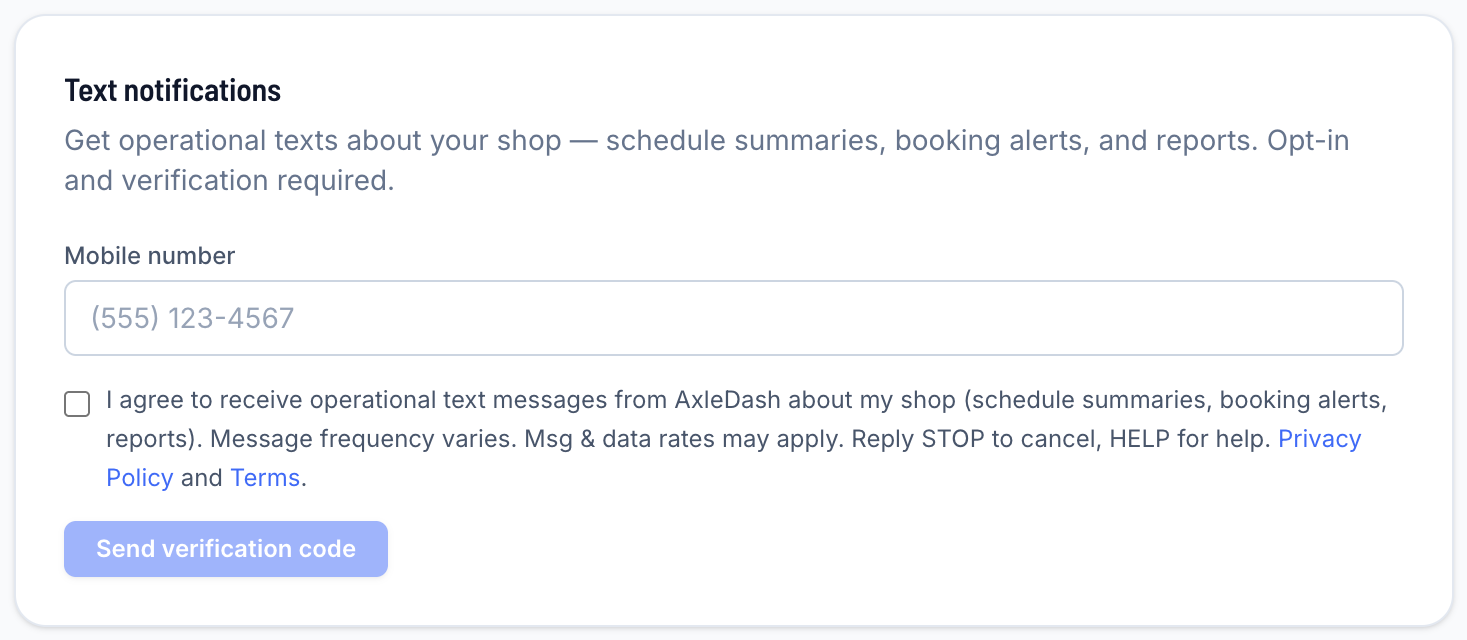
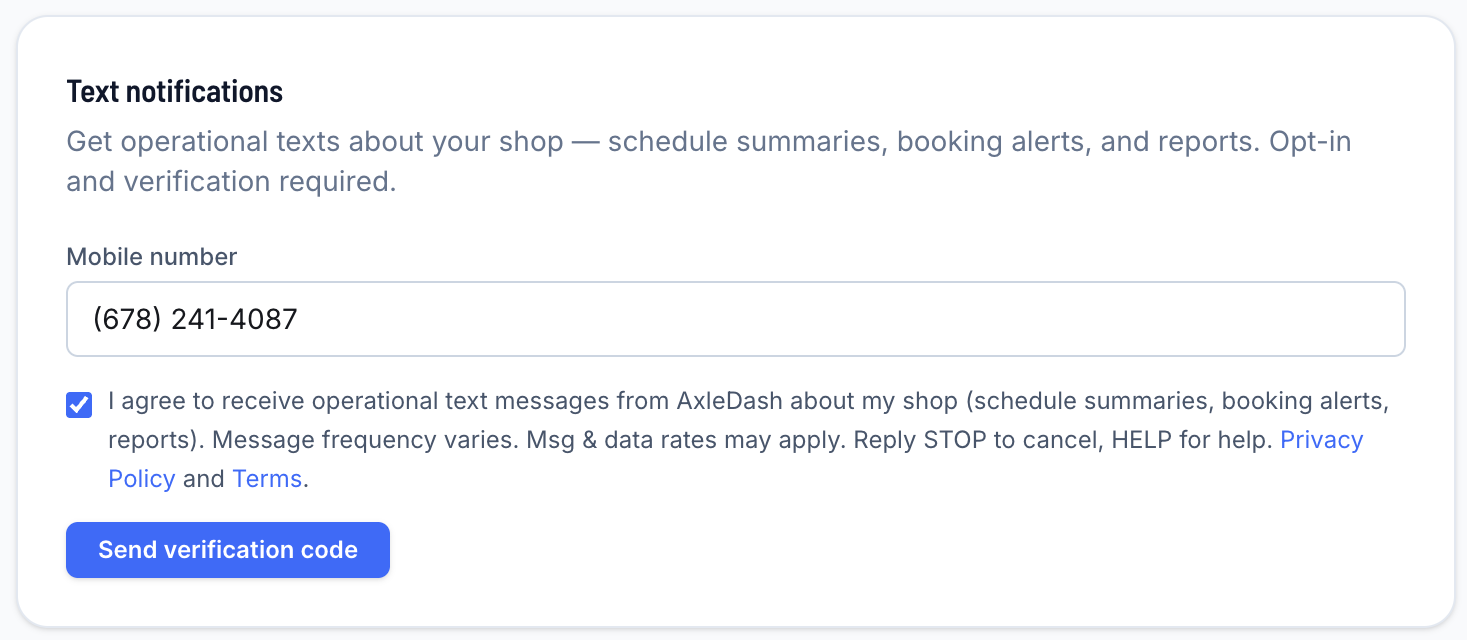
Checks the consent checkbox — unchecked by default
The consent checkbox renders unchecked on every page load. The owner must actively check it. The exact label shown next to that checkbox is reproduced verbatim below.
-
Verifies the number with a one-time code
We send a single one-time verification code to the number and the owner enters it back in the app. Until that code is confirmed, no program messages are sent to the number. This proves the person consenting controls the handset.
Consent language shown in the app
This is the exact label rendered next to the consent checkbox in AxleDash account settings, reproduced verbatim:
Screenshots of the opt-in screen
The same Text notifications card in both states, captured from AxleDash account settings. Together they show that consent is not pre-selected and that verification cannot begin until the owner grants it.
Program disclosures
- Message frequency
- Frequency varies by shop activity — typically 5–30 messages per month.
- Cost
- Msg & data rates may apply, charged by the subscriber’s wireless carrier.
- Opting out
- Reply STOP to cancel at any time. STOP is honored immediately and platform-wide across every AxleDash message type.
- Getting help
- Reply HELP for help, or email support@axledash.com.
- SMS is optional
- SMS is never required to use AxleDash. Every feature works without it — the same notifications are available by email.
- Consent records
- Each opt-in is stored with a timestamp, the IP address it was submitted from, and the account ID that submitted it.
- No sharing
- Phone numbers and opt-in data are never shared with third parties for marketing.